Attribution
Back to ToC | Back to page menuThis is a fullly syndicated copy of KemoNine’s ‘Digital Art Composition Book’ blog post. It has been posted here, in full, with permission. This post reads like an anecdote but is foocused on a practical approach to creating a digital composition book for art. Due to this we’ve included KemoNine’s post as a tip, rather than anecdote as we feel this is more of a ’tip’ than ‘anecdote’.
Note: we’ve only applied our standard site formatting to the post, inclusive of our section navigation links. The original post remains unchanged otherwise.
Back to ToC | Back to page menuA Problem
One of my biggest ‘problems’ with digital art is the fact it has more constraints than non-digital (analog) art. When working with analog art I usually have a sketch book and some kind of composition book or journal handy so I can cross reference ideas with my actual drawing or reference materials. With digital, all this falls apart and becomes A Problem as digital forces less ‘scattered about the pages’ and more ‘hierarchical folder and file structure’.
Due to digital art requiring more rigid structures for how I catalog and interact with art, I struggle badly. This is not how my mind works and interacts with my dot to dot, coloring, Zentangle and drawing work. I need something a bit more flexible than a computers tree’d folder structure and I definitely need metadata stored alongside my art so I can find things and review things at a later point.
A Solution
There are very few options for setting up digital art in a form that is flexible, easily searched/indexed and managed in a non-rigid fashion. Thankfully Obsidian exists as a knowledge management system (knowledge base), can have multiple areas of focus (vaults) and generally Just Works. It also uses markdown to store your note data allowing you to avoid vendor lock in.
Over the course of a couple weeks I was able to create a Digital Art Composition Book vault within Obsidian that allows me to more reliably find art, track metadata, track progress and more. It’s proven to be very flexible and greatly closed the gap between digital and analog workflows for me. This Obsidian vault feels a lot like my analog art notebooks. I can even open the Obsidian vault on my e-book reader (Boox Palma) to cross reference information while I use my Android Tablet (Samsung Z Fold 4 with S Pen) for whatever digital art I’m working on.
I turned Obsidian into a digital art composition book and it works.
The Specifics
I’ve published this Digital Art Comp Book Obsidian vault on my personal git forge here and on GitHub here.
The links head to the specifics of how I setup the vault. Rather than fill this page with a bunch of specific information that may change over time, I urge readers to head to the published vault and take a closer look. The linked pages include detail on how the vault is setup, structured and works in practice.
I chose to publish the vault using version control so there is a proper history of changes over time and to ensure the vault can be easily downloaded as an archive.
Screen shots
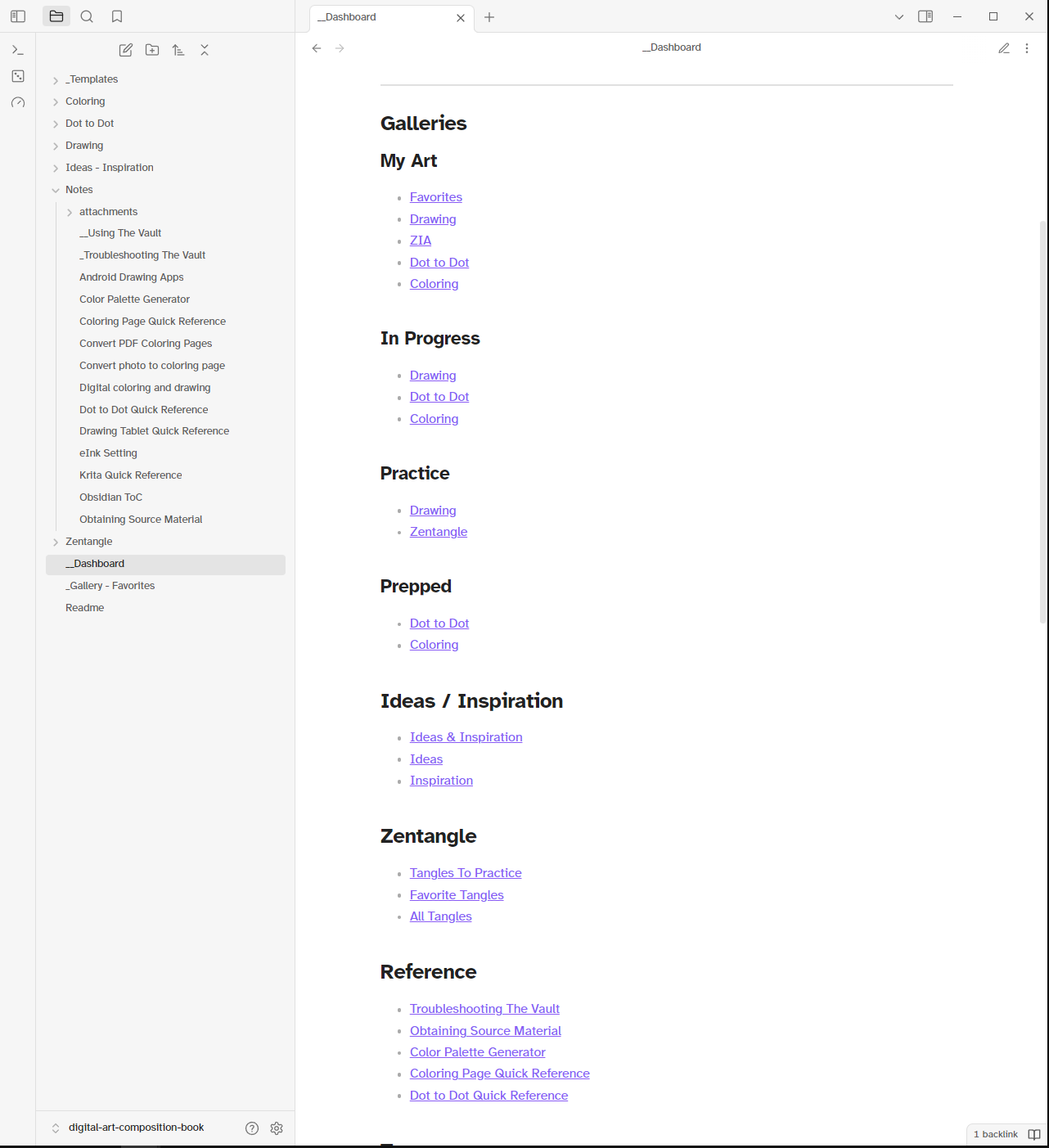
The Dashboard
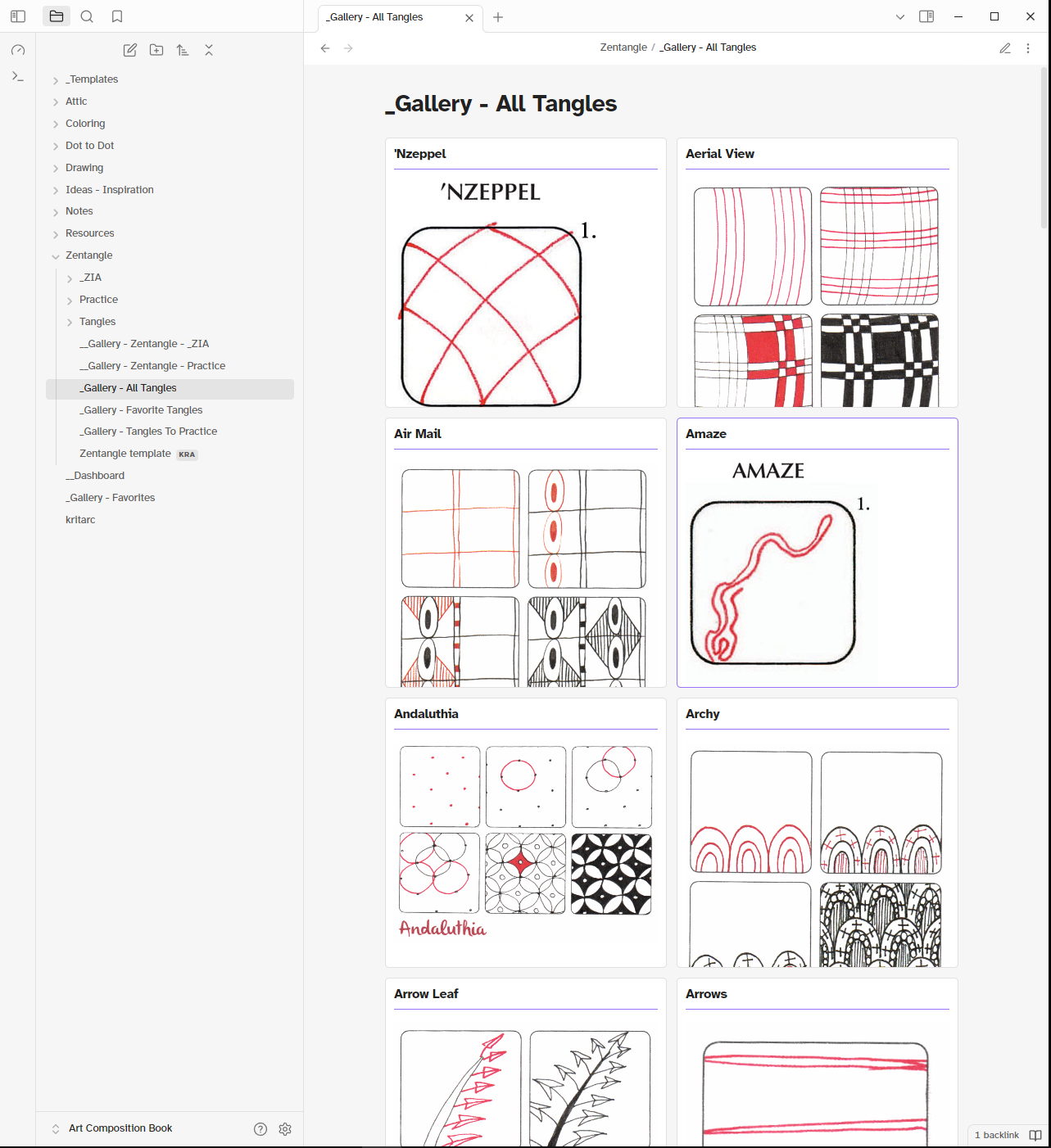
The Gallery of Tangles
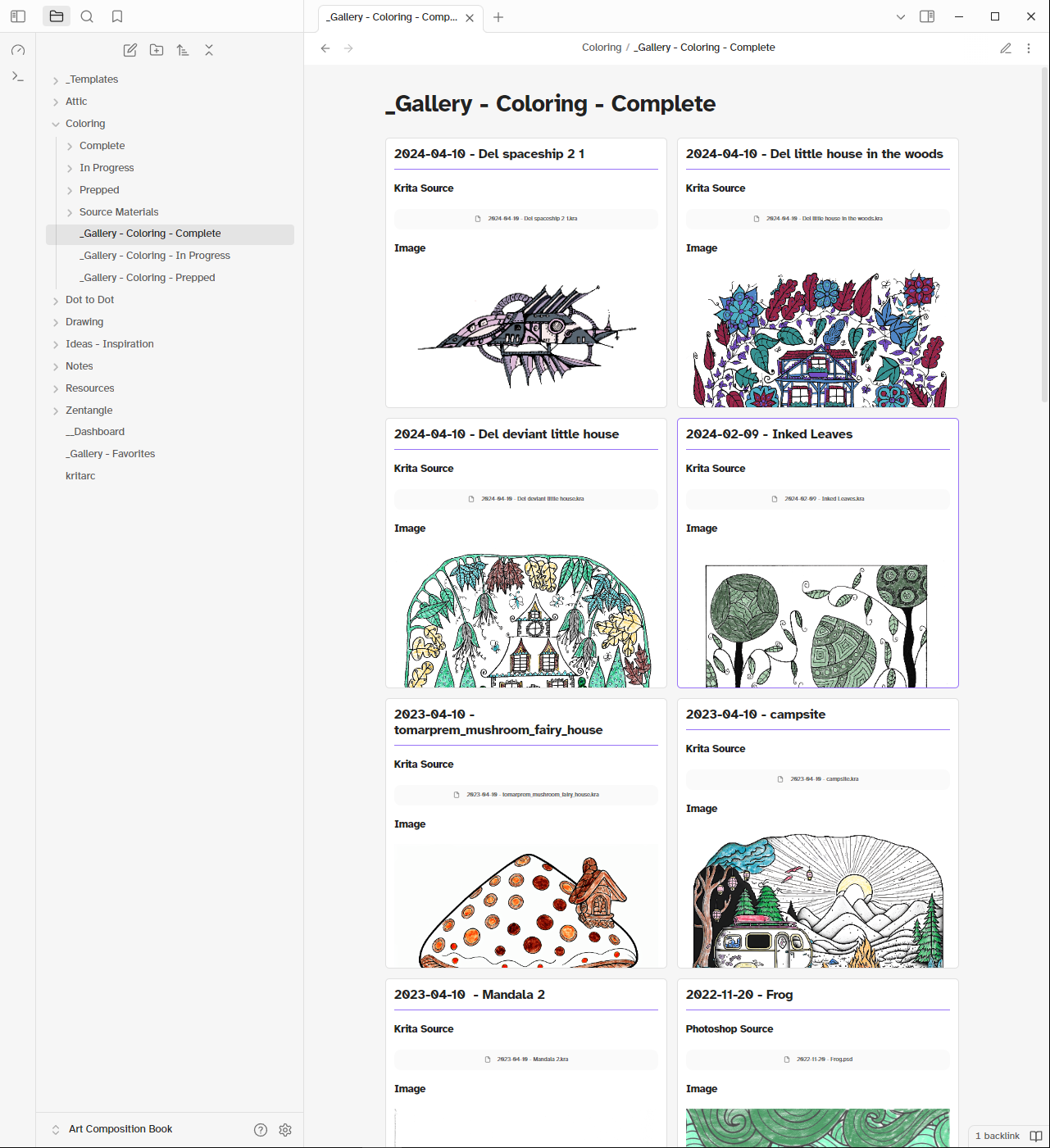
The Gallery of Complete Coloring Pages
Changelog
Back to ToC | Back to page menu- 2024-12-22
- Initial creation / cross post